
State eCommerce
Alaska eCommerce Web Design (AK)
A design concept for Alaska
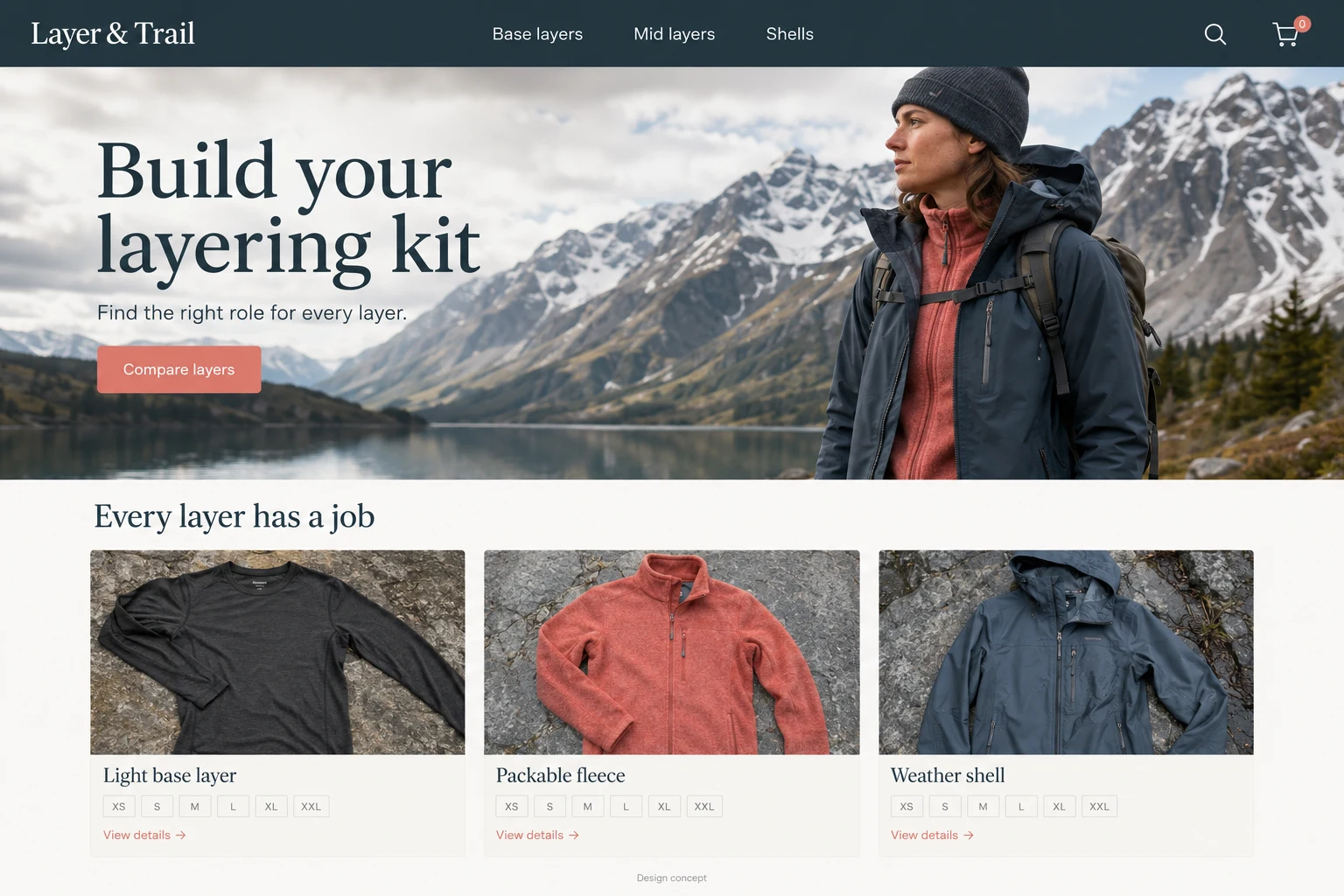
A shopper planning an Alaska trip may already own a jacket but have no idea what belongs beneath it. For a hypothetical outdoor retailer, the useful website begins with that uncertainty and helps the visitor compare a small, understandable layering system.
Give every layer a clear job
Organize the catalog around base layers, insulating layers, and outer shells. Explain what each product is intended to do using the maker’s actual specifications. A comparison table can show fabric, garment weight, pockets, and adjustment points. Keep personal preferences separate from verified performance claims. A fleece that feels comfortable to one customer will not suit every activity, and a product page should leave room for that difference.
Help the customer build a set
Imagine someone opening a base-layer page from a packing article. Show the garment on its own, underneath a mid layer, and beside a familiar object for scale. Let them choose their size before suggesting companion items. Carry their selection into the cart without silently adding a bundle. Show exactly which items are optional, so a person who already owns a shell can purchase only the missing piece.
Gather the details shoppers ask about
The merchant needs more than a scenic banner. Prepare measurements, actual product photographs, care instructions, and written answers from staff who handle the goods. An illustrated layer diagram can connect those details at a glance. Give every layer a readable label and link it to the corresponding collection, with the selected garment easy to identify when the shopper returns.
For mobile shoppers, place the size chart beside the selector and return them to the same garment after closing it. The selected size should remain visible while they compare companion layers, so a useful detour does not require rebuilding the basket.
- Photograph cuffs, zippers, and packed size.
- Explain the fit used in each product photo.
- List bundle contents individually.
- Keep stock and size availability visible.
Test the comparison before adding more pages
Watch whether visitors move from the comparison to a selected size and then to checkout. Separate unavailable-size exits from ordinary browsing. Ask customer-service staff whether layering questions become more specific after launch. The design can make choices clearer, but it cannot determine weather conditions, a traveler’s tolerance, or suitability for a particular expedition. Keep planning guidance modest and give shoppers a direct way to ask about the products they are considering.
This AI-generated website concept illustrates a fictional business. It is not a completed customer project. Features shown here need to be discussed and scoped for your business.